Observability Copilot
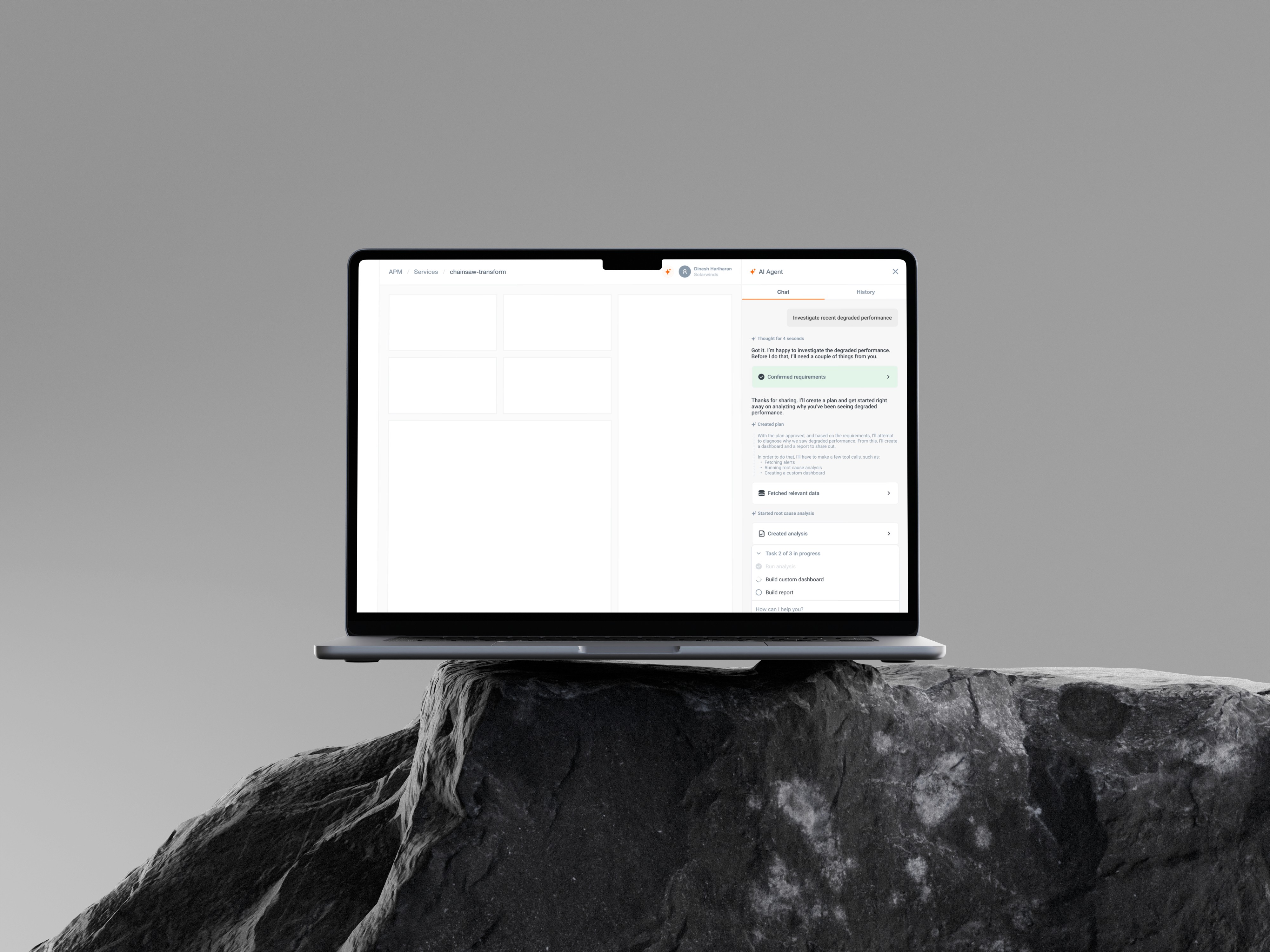
This project explores the design of an AI-powered assistant within a SaaS observability platform to help users retrieve metrics, alerts, and system status through a conversational interface.
01
Problem
Modern observability platforms surface large volumes of data across dashboards for metrics, alerts, logs, and system health. While powerful, these systems require users to navigate multiple views, apply filters, and interpret fragmented information to retrieve even simple insights.
For engineers working in high-pressure environments, this creates a bottleneck. Tasks such as checking system health, identifying alerts, or understanding failures involve multiple steps, increasing both time and cognitive load.
The problem was not a lack of data, but the effort required to access it.
02
Discovery
Through workflow analysis, a clear pattern emerged. Users repeatedly performed similar queries checking the same services, monitoring specific alerts, or validating system states.
Despite their familiarity with the product, they relied heavily on navigation:
Searching across dashboards
Applying filters
Opening entities
Interpreting raw data
This revealed a key insight:
Users are not struggling to understand data, they are struggling to access it efficiently.
This opened up an opportunity to rethink interaction from a navigation-driven model to a query-driven model.
03
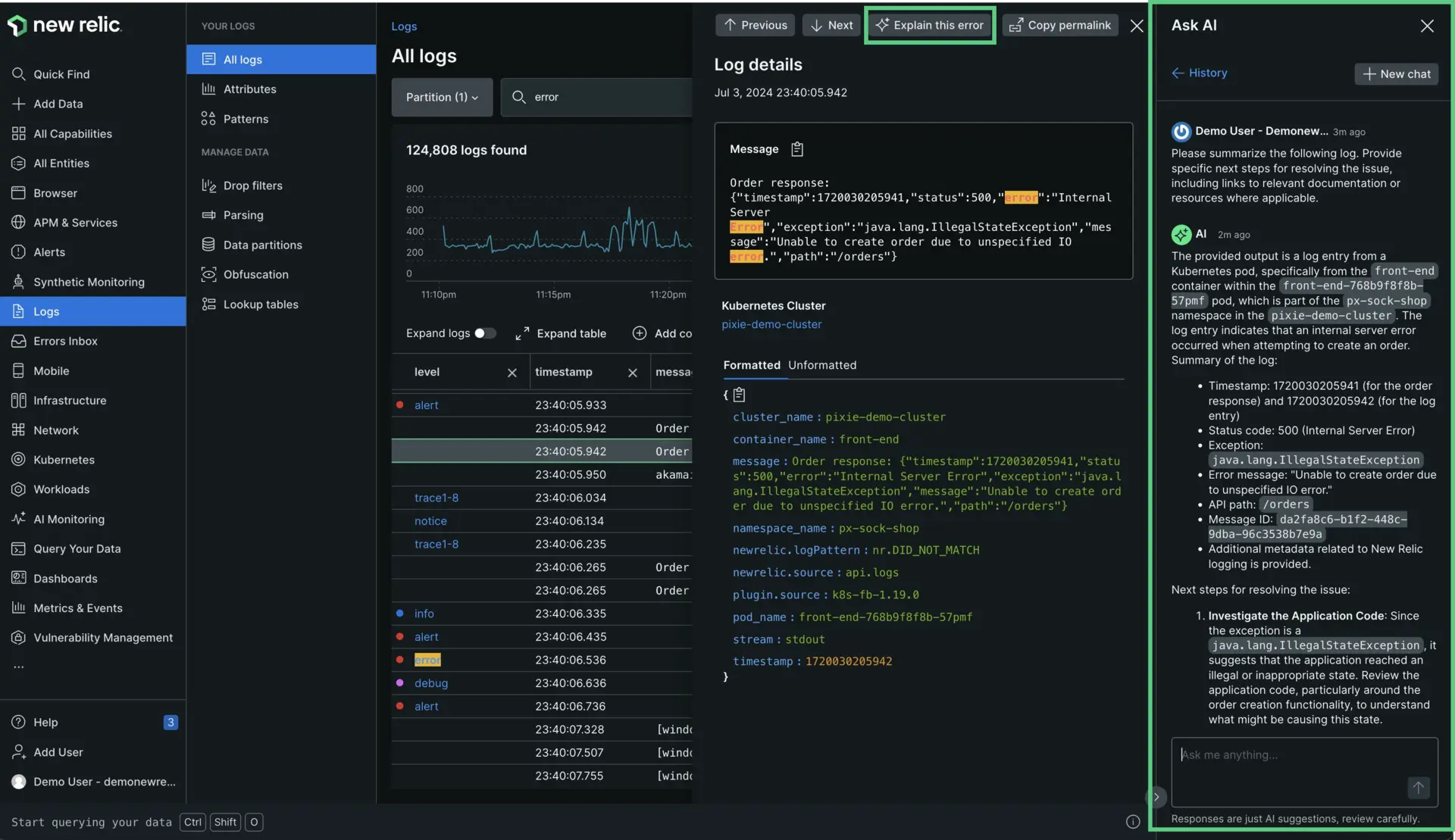
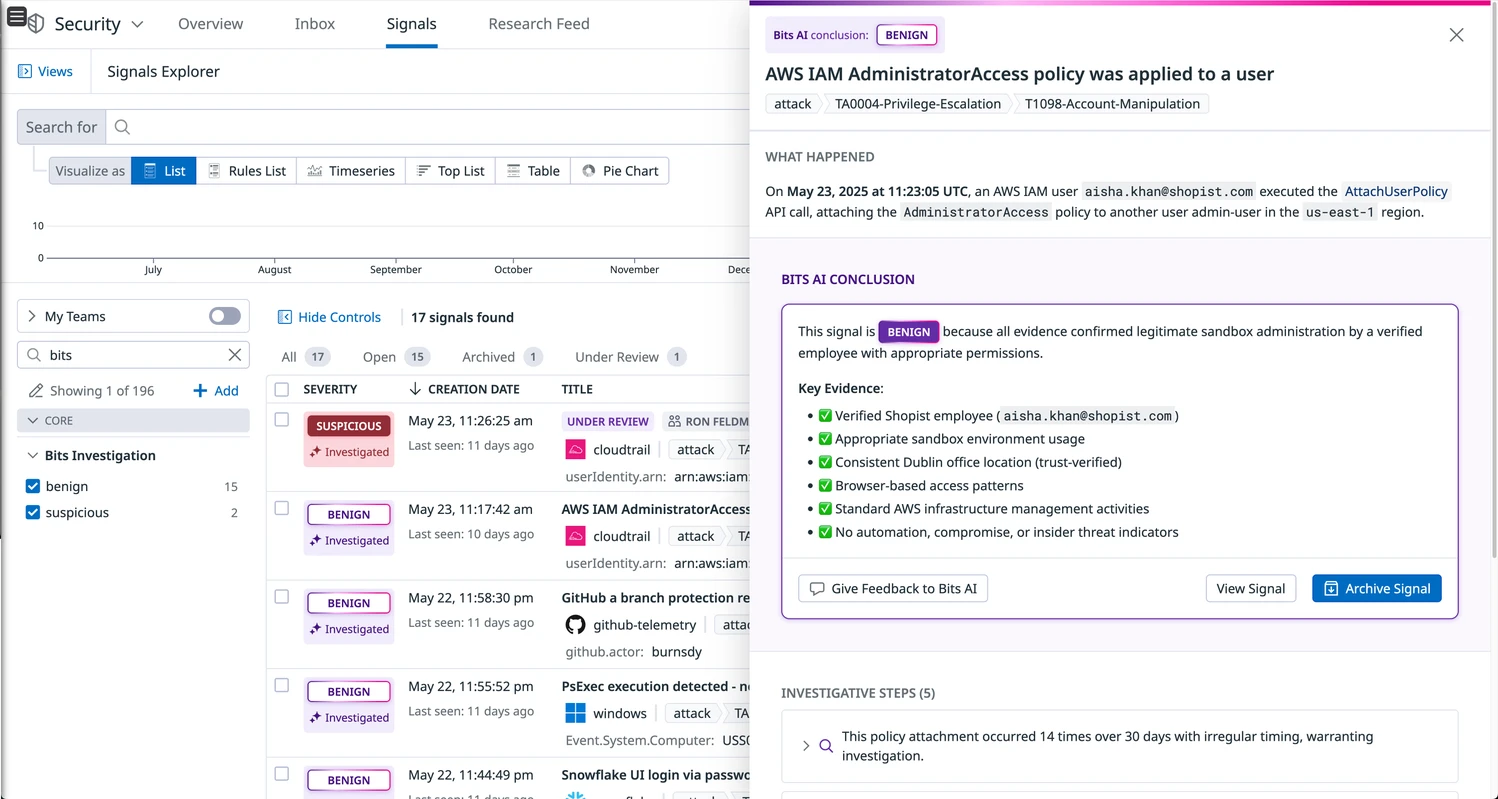
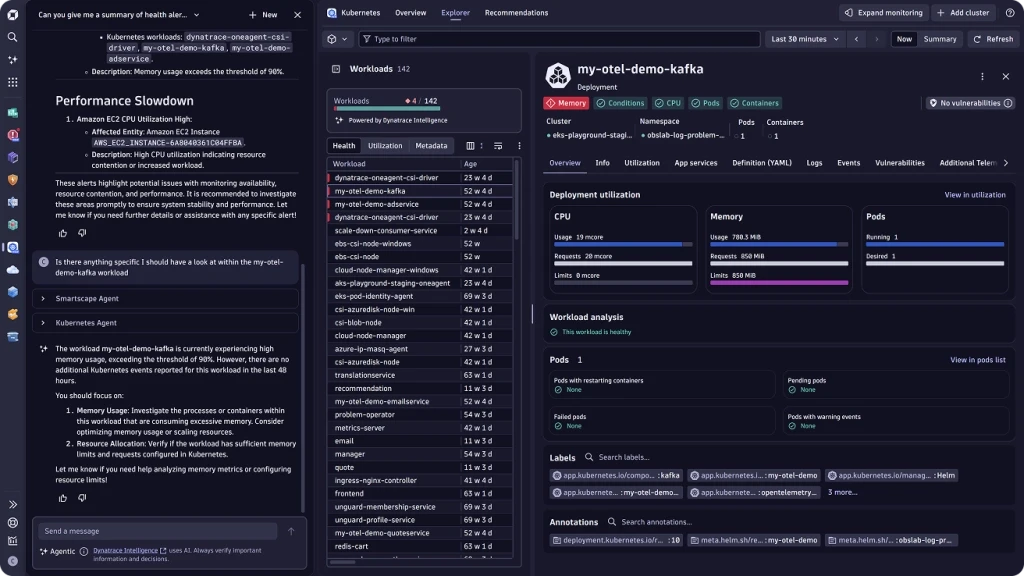
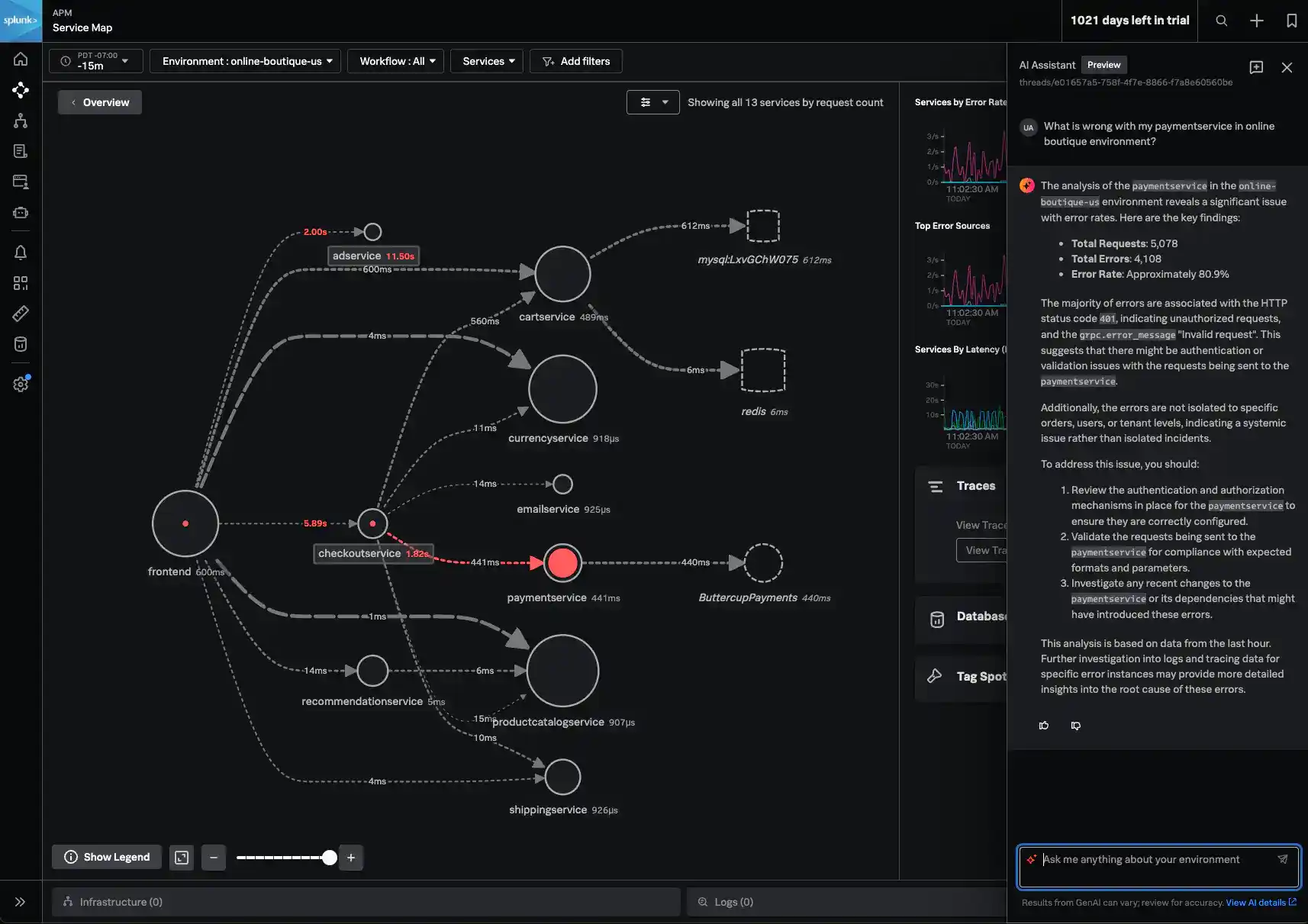
To understand how AI is evolving in this space, I analyzed patterns across Datadog, NewRelic, and Dynatrace.
Across these tools, AI is primarily positioned as an explanation layer. It helps interpret logs, signals, and alerts by summarizing key information, surfacing evidence, and suggesting next steps. Outputs are structured and grounded in system data, which improves trust and readability.
However, the interaction model remains navigation-heavy. Users must first locate relevant data before engaging with AI, making it a reactive feature rather than a primary interface.
AI is also typically embedded within workflows as a secondary layer, rather than serving as a central entry point. Additionally, there is limited support for repetitive or personalized queries, and most interactions require users to remain engaged while the system processes responses.
This revealed a clear opportunity:
Shift AI from an explanation tool to an access layer that reduces the effort required to reach insights.
04
Based on the discovery phase, the problem was reframed into a set of opportunity questions to guide the direction of the solution.
Users were not struggling with understanding system data, but with the effort required to access it. These questions helped shift the approach from improving dashboards to rethinking how users interact with data.
How Might We
The problem was reframed into a set of opportunity questions to guide the direction of the solution.
HMW
Enable users to access observability data without navigating across multiple dashboards?
HMW
Reduce the time and cognitive effort required to retrieve frequently used metrics and alerts?
HMW
Support both exploratory queries and repetitive, user-specific workflows within a single interface?
HMW
Design an AI system that communicates progress clearly, without requiring users to wait?
HMW
Ensure AI responses remain structured, trustworthy, and grounded in real system data?
Opportunity
Shift from a navigation-driven experience to a query-first interaction model, where users can directly access system insights through AI.
05
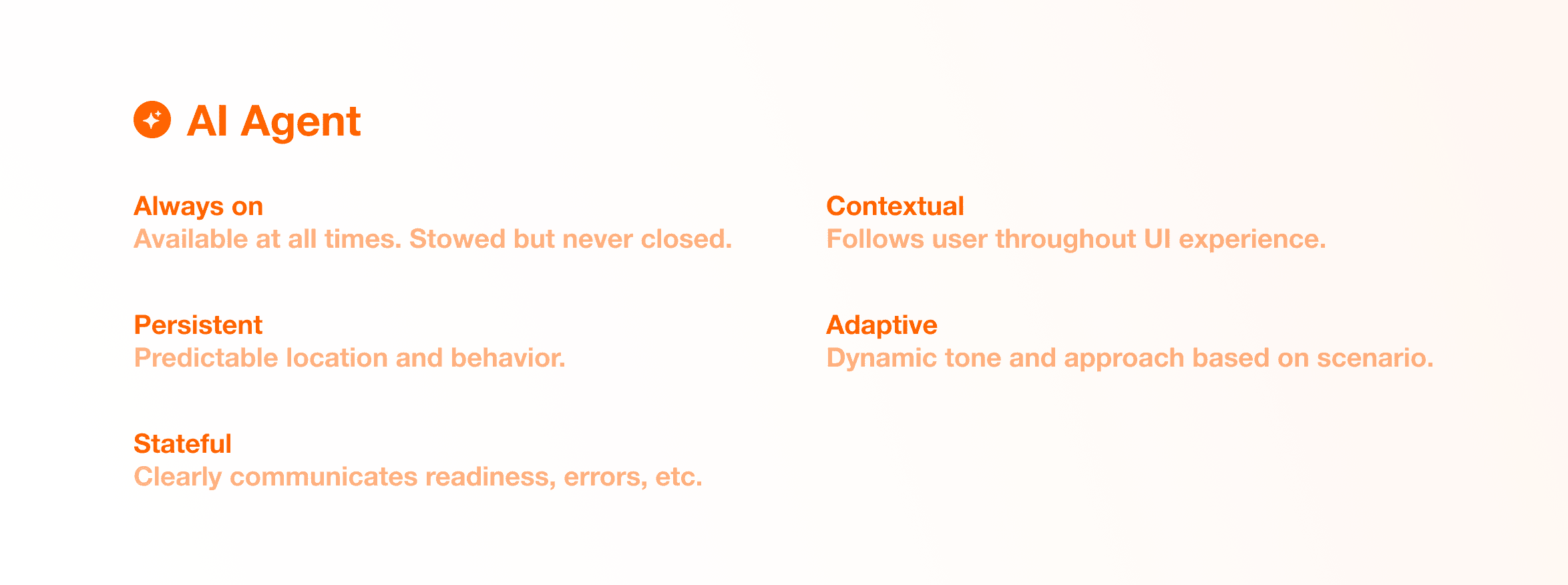
The assistant was designed as a persistent system within the product rather than a standalone feature.
It remains always available, allowing users to access it at any point without losing context. It is persistent, maintaining a predictable location and interaction pattern across the interface.
The assistant is contextual, adapting to the user’s current location and surfacing relevant insights. It is also adaptive, evolving based on usage patterns and supporting both exploratory and routine queries.
Finally, it is stateful, clearly communicating its behavior to users, ensuring transparency and trust during interactions.
06
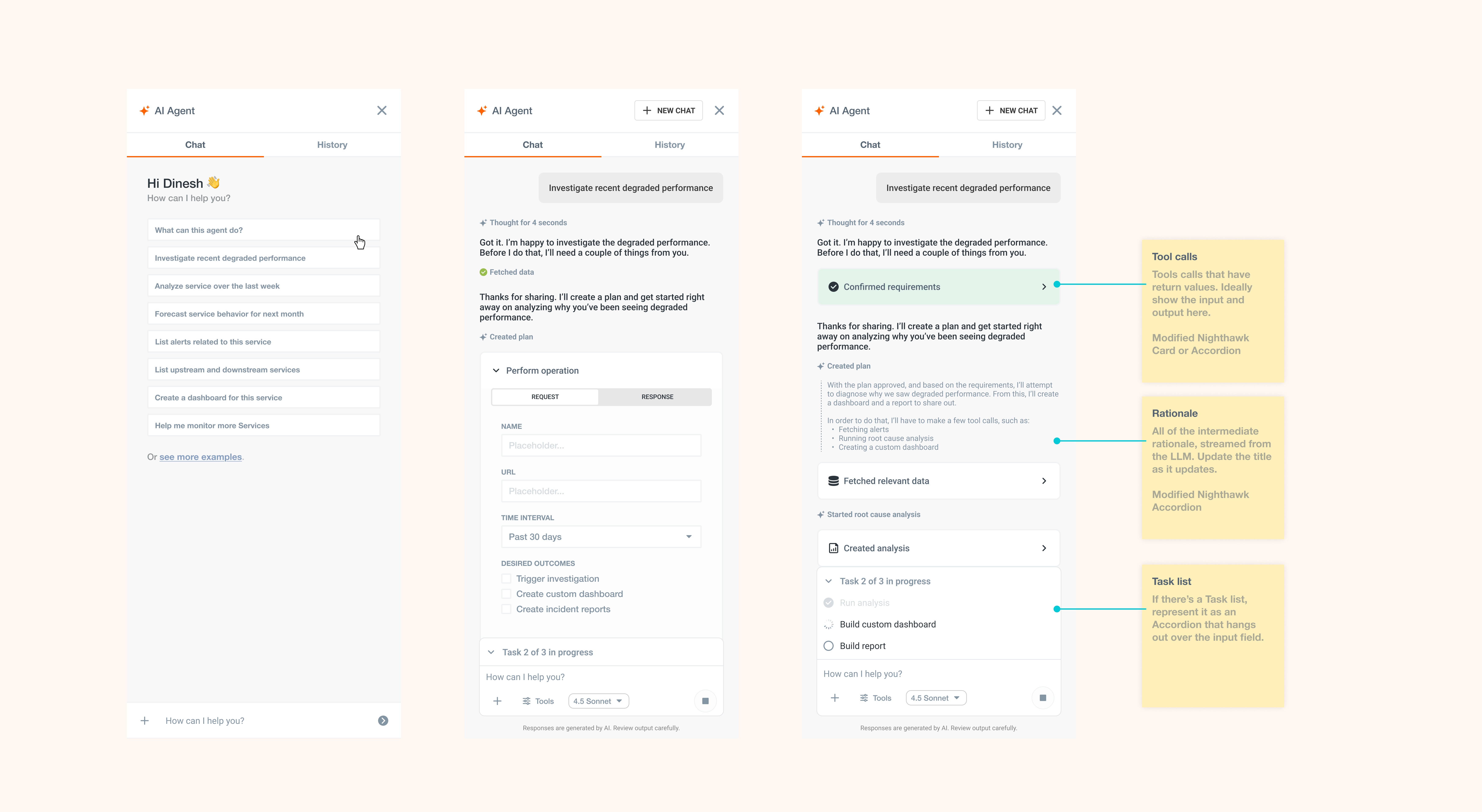
To support asynchronous workflows and reduce uncertainty, the assistant communicates its behavior through defined system states.
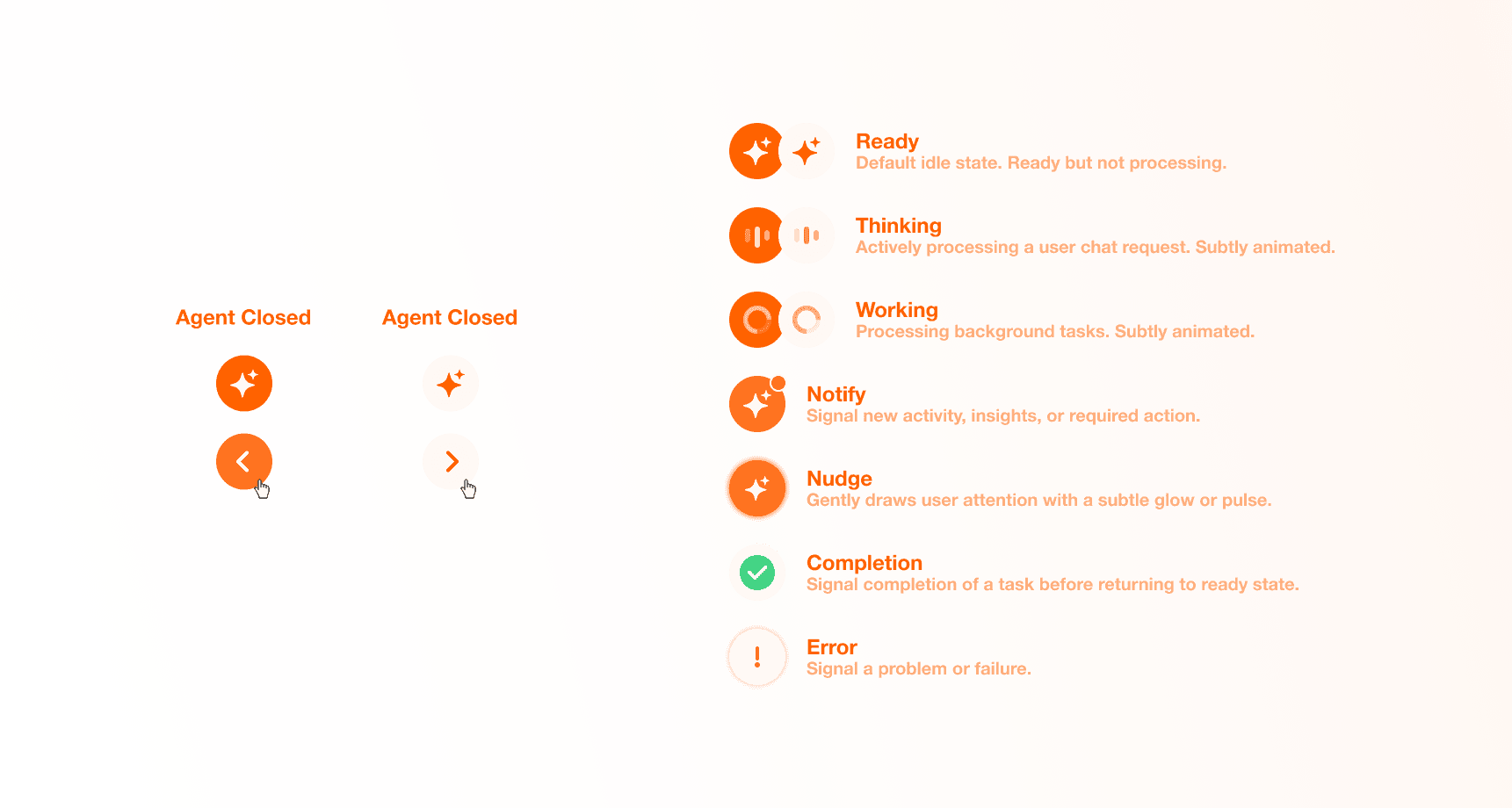

Ready & Thinking State
In the Ready state, the assistant is idle and available for interaction. When a query is submitted, it transitions into a Thinking state, where it interprets the user’s intent.

Working State
In a Working state, the system retrieves relevant data such as metrics, alerts, or logs. Once processing is complete, the assistant enters a Completion state and presents the response before returning to idle.

Nudge State
The Notify or Nudge states are to draw attention to relevant updates, and an Error state when a request cannot be fulfilled.
These states ensure that users understand what the system is doing at all times.
07
User Flow
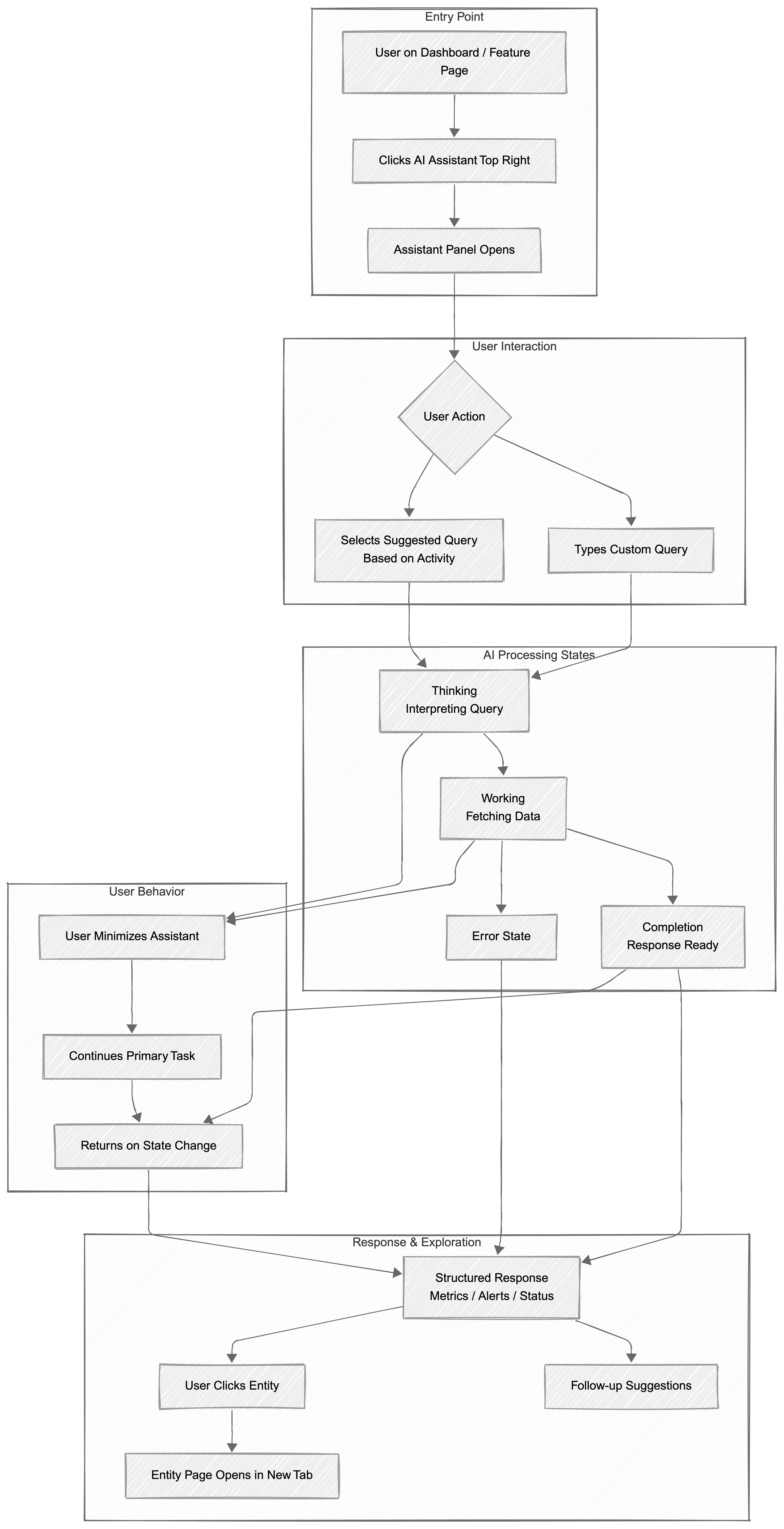
User opens the AI assistant from the dashboard
Assistant panel opens
Types a query, or Selects a suggested prompt
Assistant processes the request (Thinking to Working)
User can continue their work while it processes
Assistant completes and shows results
User returns and views structured response (metrics / alerts / status)
User can click an entity to open detailed view in a new tab
Assistant returns to ready state
Projects
Explore more like this one

Selected projects that reflect my approach to design, development, and execution.